
Disclosure: This post may contain affiliate links. If you purchase through our links, we may earn a commission at no extra cost to you.
Last updated: July 2026
Tested by: Emanuel S.
Freelancing means wearing every hat in the business, project manager, writer, designer, accountant, and salesperson, often before lunch. The right AI tools don’t replace that hustle, but they cut down the hours spent on the boring parts so there’s more time left for actual client work (or, you know, sleep).
This guide covers three AI tools for freelancers that consistently come up in freelancer communities, productivity roundups, and in two of the three cases my own daily workflow. I run a small one-person operation myself, juggling client deliverables, notes, invoices, and deadlines, so I picked tools I could actually put through their paces rather than just reading spec sheets.
This list is for solo freelancers, consultants, and small agency owners who want practical software recommendations, not hype. If you’re trying to decide whether to add an AI writing assistant, a general-purpose chatbot, or a project management platform to your stack, here’s what actually held up.
How We Chose These Tools
Not every AI tool that shows up in a “best of” list deserves to be there. Here’s the criteria we used to narrow this list down to three worth your time:
- Ease of setup: Can a non-technical freelancer get up and running in under 15 minutes?
- Free plan availability: Freelancers, especially newer ones, need to test before they spend.
- Core AI usefulness: Does the AI feature actually save time, or is it a bolted-on gimmick?
- Pricing transparency: We checked official pricing pages directly rather than relying on outdated screenshots.
- Real-world usability: Where possible, we tested the tool ourselves. Where we didn’t, we cross-referenced user reviews and reputable tech coverage instead of guessing.
- Versatility for solo users: Freelancers don’t have IT departments. Tools need to work well for a team of one.
Quick Comparison Table
| Tool | Best For | Starting Price | Free Plan? |
| Notion AI | Organizing notes, docs, and client info in one workspace | $12/user/month (Plus); full AI on Business at $24/user/month | Yes |
| ChatGPT | Writing, brainstorming, and quick image generation | $20/month (Plus) | Yes |
| ClickUp | Managing projects and deliverables visually | $10/user/month (Unlimited); | Yes |
1. Notion AI: Best For Organizing Notes and Client Work in One Place
I’ve used Notion AI for my own freelance workflow for a while now, and it’s the tool I recommend first to anyone starting out because it doesn’t ask you to learn a whole new system before it’s useful.
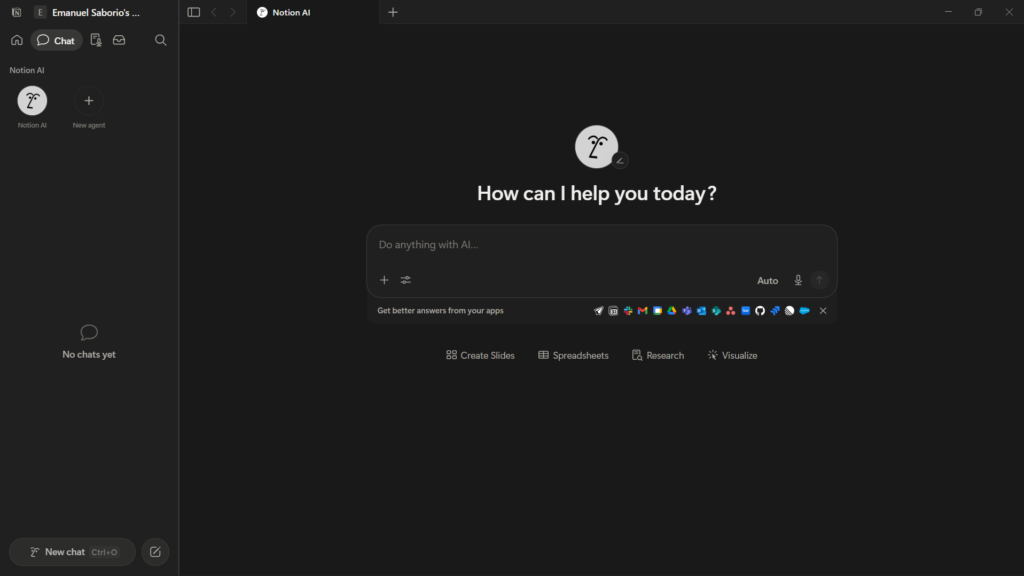
What stood out to me during actual use is how little friction there is. Setting up the free plan took a few minutes, and because the AI features are built directly into the notes and pages you’re already writing, there’s no separate app to bounce between. It connects naturally with whatever notes you’ve already got in your workspace, so if you’re already a Notion user, adding AI feels like flipping a switch rather than starting over.
Notion AI Review 2026: What Can It Actually Do? → https://theaitoolreview.com/notion-ai-review/
Key Features
- AI writing assistant embedded directly in pages, summarize, rewrite, or expand text without leaving your notes
- Notion Agent that can complete multi-step tasks like drafting a document or pulling information from linked pages
- Unified workspace for notes, client briefs, invoices, and project trackers in one place
- Database and table views for organizing client info, deadlines, or content calendars
- Cross-device sync, including a usable mobile app for checking notes on the go
Pricing
Notion offers a Free plan with unlimited pages and blocks for solo users, which is genuinely usable long-term if you don’t need advanced AI. Paid plans start at the Plus tier ($10/user/month billed annually), which removes file-size and history limits but only includes a limited AI trial. Full AI features, including the autonomous Notion Agent, require the Business plan at $20/user/month billed annually, since full Notion AI is now bundled into the Business and Enterprise tiers rather than sold as a separate. For a solo freelancer who mostly wants light AI writing help rather than autonomous agents, the free plan or Plus tier will likely cover it.
Pros and Cons
Pros:
- Very easy to set up, even for non-technical users
- Free plan is genuinely usable, not just a stripped-down demo
- AI feels native to the workspace instead of feeling bolted on
- Great for freelancers who already live in notes and docs
Cons:
- Full AI Agent features now sit behind the pricier Business plan
- Can feel like “yet another app” if you’re not already a notes-and-docs person
- AI writing quality is solid but not as sharp as a dedicated writing tool like ChatGPT for longer content
2. ChatGPT: Best For Writing, Brainstorming, and Client Communication
ChatGPT is the tool I reach for most often day-to-day, and honestly, it’s the one I’d keep even if I had to drop everything else. Setting it up takes about thirty seconds, you sign in with an email or Google account and you’re writing your first prompt.
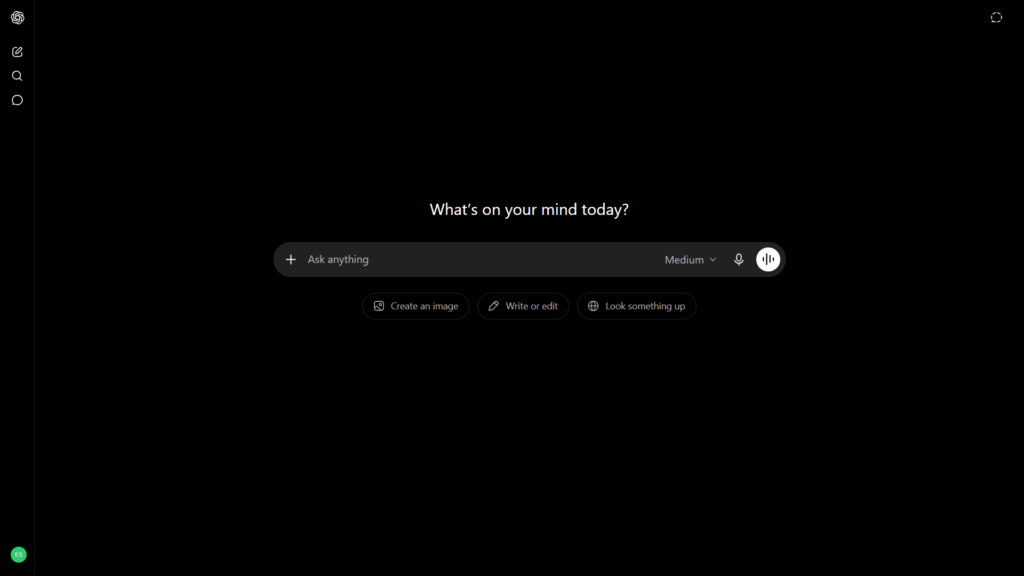
What makes it useful for freelance work specifically is the range. I use it for drafting client emails, tightening up proposals, brainstorming project ideas, and somewhat unexpectedly generating quick images for mockups or social posts when I don’t have time to open a design tool. It’s fast, it’s versatile, and the free plan is enough to get real work done before you ever consider upgrading. For pure writing tasks, it’s noticeably better at matching tone and structure than most alternatives I’ve tried.
Best AI Writing Tools in 2026 → https://theaitoolreview.com/best-ai-writing-tools/
Key Features
- Natural language writing help for emails, proposals, blog posts, and social captions
- Image generation built into the chat, useful for quick visual concepts
- Custom GPTs and projects to keep client-specific context organized
- File uploads for getting feedback on documents, spreadsheets, or contracts
- Voice mode for hands-free brainstorming during a commute or coffee run
Pricing
ChatGPT has a free tier that’s usable for everyday tasks, though it now includes ads and runs on a lighter model with tighter usage limits. The Plus plan is $20/month, with no annual discount, and includes the flagship model, higher usage limits, and features like Deep Research and image generation, a price that has held steady since February 2023. There’s also a cheaper Go tier in some regions and higher Pro tiers ($100–$200/month) aimed at power users, but most freelancers won’t need to go past Plus.
Pros and Cons
Pros:
- Fast, versatile, and useful across almost every type of freelance task
- Free plan requires nothing more than an email to start
- Excellent for writing tasks specifically tone, structure, and clarity
- Image generation adds real value without needing a separate design subscription
Cons:
- Free tier now shows ads and has real usage caps that can interrupt a workflow
- Doesn’t organize your work the way a project management tool does, it’s a chat window, not a workspace
- Can produce confident-sounding but incorrect information, so fact-checking client-facing content still matters
3. ClickUp: Best For Managing Projects and Deliverables
ClickUp earns its spot on this list for a specific reason: when a freelance workload grows past a couple of clients, a chat window and a notes app stop being enough. You need somewhere to actually track tasks, deadlines, and deliverables, and this is where ClickUp is included based on its reputation as one of the most widely used all-in-one project management platforms, backed by strong user reviews for teams and solo operators alike.
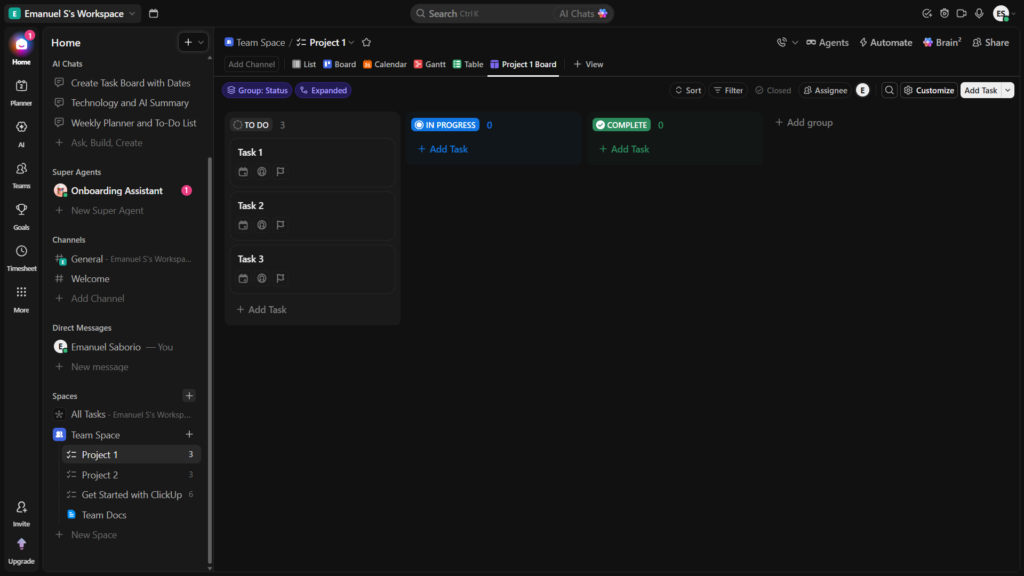
Setup itself is fast, you can create a workspace and start adding tasks within minutes. Where it gets trickier is everything after that first five minutes. ClickUp packs in an enormous number of views, fields, and settings, and new users commonly report feeling lost navigating all of it before things click. Once configured, though, it produces genuinely polished, visually organized boards and dashboards, and it runs quickly even with a lot of tasks loaded in.
ClickUp AI Review 2026: Features, Pricing & Verdict → https://theaitoolreview.com/clickup-ai-review/
Key Features
- Multiple project views, list, board, calendar, Gantt chart, and more
- ClickUp Brain, the built-in AI assistant for task summaries, writing help, and automations
- Time tracking and goal-setting tools built directly into tasks
- Templates for freelancer-specific workflows like client onboarding or content calendars
- Automation rules to move tasks between stages without manual updates
Pricing
ClickUp offers a Free Forever plan with unlimited tasks and users, though storage is capped. Paid plans start with Unlimited at $7/user/month billed annually ($10/month billed monthly), which removes most free-plan limits. The AI layer, ClickUp Brain, is a separate add-on priced from roughly $9 per user/month on top of a paid plan, so the total cost for AI-enabled project management is higher than the headline price suggests. (Verified via ClickUp’s official pricing page and independent pricing analysis.)
Pros and Cons
Pros:
- Extremely capable feature set for the price, especially at the Unlimited tier
- Produces clean, professional-looking dashboards and boards
- Fast performance even with heavy task loads
- Generous free plan with no user cap, unusual for this category
Cons:
- Confusing for brand-new users, the sheer number of options is overwhelming at first
- AI features cost extra on top of an already-tiered pricing structure
- Steeper learning curve than a simple to-do list app, which can slow down solo freelancers who just need something quick
Frequently Asked Questions (FAQ)
Do I need all three of these tools as a freelancer? No. Most freelancers do fine picking one from each category based on their biggest pain point, a workspace tool like Notion AI, a general assistant like ChatGPT, and a project tracker like ClickUp solve different problems. Start with whichever addresses your current bottleneck rather than adopting all three at once.
Are the free plans actually usable, or just trials? All three tools reviewed here offer genuinely functional free plans, not time-limited trials. That said, free tiers come with real limits, reduced AI usage on ChatGPT, storage caps on ClickUp, and a limited AI trial on Notion, so expect to hit a ceiling as your workload grows.
Which tool is best for someone just starting out as a freelancer? Based on ease of setup, ChatGPT and Notion AI are the easier entry points since both can be running productively within minutes. ClickUp is worth adding once you have enough active clients or projects that you need dedicated tracking, since its learning curve doesn’t pay off until there’s real complexity to manage.
Can these AI tools replace hiring a virtual assistant or project manager? They can absorb a meaningful chunk of repetitive work, drafting, organizing, summarizing but they’re not a full substitute for human judgment on client relationships or complex decision-making. Treat them as force multipliers for your own time, not a replacement for the parts of the job that need a person.
Conclusion
If you only have room in your budget or your brain for one AI tool right now, the right pick depends on what’s actually slowing you down. For freelancers drowning in scattered notes and client details, Notion AI is the calmer, more organized starting point and it’s the one I’ve personally found easiest to configure and stick with long-term. For anyone whose bottleneck is writing, brainstorming, or fast turnaround content, ChatGPT remains the more versatile day-to-day tool, and its free plan alone justifies trying it first.
ClickUp earns its place once your freelance business outgrows a single to-do list, the visual project views and automation are worth the learning curve for anyone managing multiple clients or a small team. None of these three are perfect out of the box, and each comes with real trade-offs worth weighing against your specific workflow before you commit to a paid plan.
- ChatGPT Pricing: https://chatgpt.com/pricing/
- Notion AI Princing: https://www.notion.com/pricing
- ClickUp Pricing: https://clickup.com/pricing