
Disclosure: This post may contain affiliate links. If you purchase through our links, we may earn a commission at no extra cost to you.
Last updated: July 2026
Tested by: Emanuel S
ChatGPT vs Claude vs Gemini is one of the most common comparisons for anyone trying to choose a free AI assistant in 2026. These three tools are no longer just “chatbots.” They can help with writing, coding, brainstorming, studying, image work, document analysis, research, planning, and repetitive tasks. But they do not feel the same when you actually use them.
I tested all three tools with normal everyday tasks, including writing prompts, programming help, visual tasks, and general productivity questions. My experience was clear: ChatGPT feels like the most balanced option, Claude feels extremely strong for writing and coding logic, and Gemini stands out because of its Google connection and image-related strengths.
This comparison is not about pretending one tool is perfect for everyone. The better question is: which AI assistant fits your workflow? If you want the best all-around free tool, you may lean toward ChatGPT. If you care about clean reasoning, coding support, and long-form answers, Claude may impress you. If you already live inside Google products or care about uploading files and image features, Gemini deserves attention.
Best AI Writing Tools in 2026 → https://theaitoolreview.com/best-ai-writing-tools/
Quick Comparison Table
| Feature | ChatGPT | Claude | Gemini |
| Best for | General AI use, writing, coding, image help, repetitive tasks | Writing, reasoning, programming, Claude Code users | Google users, file uploads, image generation, Google-connected workflows |
| Free plan | Yes, with many useful features | Yes, but usage can run out quickly in my experience | Yes, available with a Google account |
| Ease of setup | Very easy login and setup in my testing | Easy and polished | Very easy if you already have a Google account |
| Writing quality | Strong and flexible | Very strong, especially for thoughtful responses | Good for general writing and productivity |
| Coding help | Strong | Very strong; Claude Code is a major plus on paid plans | Good, especially for general code help |
| Image generation | Available in ChatGPT | Not available in Claude chat from my testing | Strong image capabilities |
| File uploads | Available depending on plan and limits | Available depending on plan and limits | Strong file-upload experience in my testing |
| Interface | Familiar, simple, popular | Clean and attractive | Simple and closely tied to Google |
| Main drawback | Can feel broad rather than specialized | Free usage runs out quickly | I have not used it as deeply as the other two |
| Best free choice | Best all-around free option | Best if your usage is light but quality-focused | Best if you want Google integration and image features |
ChatGPT
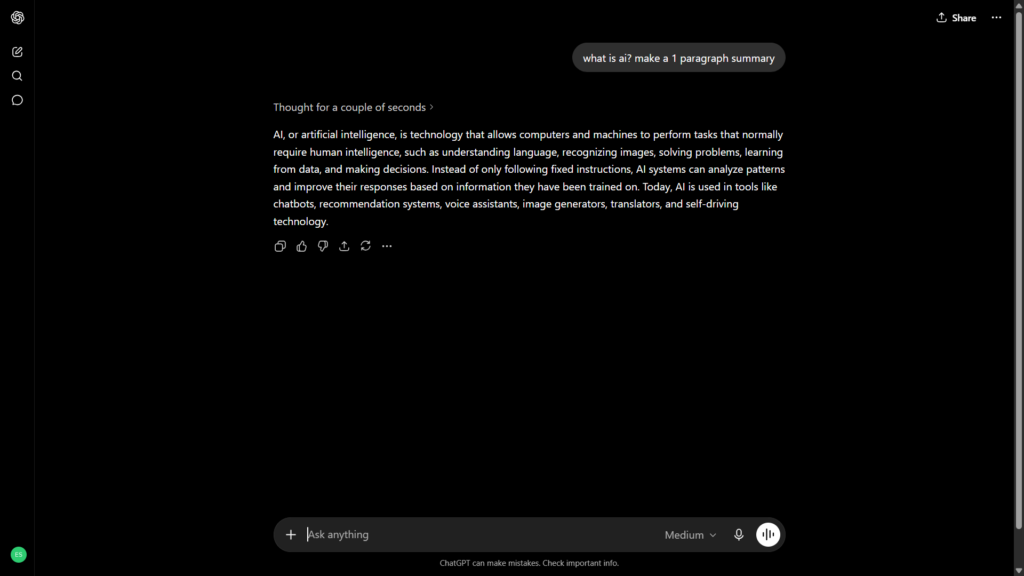
Claude
Gemini
What Is ChatGPT? / What Is Claude? / What Is Gemini?
What Is ChatGPT?
ChatGPT is OpenAI’s AI assistant for writing, coding, learning, brainstorming, image work, and general productivity. It has become one of the most recognized AI tools because it is easy to use and works well across many different tasks.
In my experience, ChatGPT was easy to set up. The login process was simple, and the interface was easy to understand right away. I did not feel like I needed a tutorial just to start using it. That matters because many people trying AI tools are not developers or AI experts; they just want a tool that helps them finish work faster.
The free plan also feels generous. I found it useful for writing, understanding prompts, helping with repetitive tasks, programming, and visual-related tasks. ChatGPT is also fast and familiar, which makes it easy to recommend to beginners.
According to OpenAI’s official pricing page, ChatGPT has a free plan, plus paid plans such as Go, Plus, Pro, Business, and Enterprise, with Plus listed at $20 per month on the consumer pricing page.
What Is Claude?
Claude is Anthropic’s AI assistant. It is known for strong writing, careful reasoning, coding support, and a clean interface. In my testing, Claude felt extremely good. The responses were high quality, the interface looked nice, and it handled programming tasks very well.
The biggest issue I noticed was usage. The free plan can run out quickly, especially if you are asking longer questions or having a deeper conversation. That does not mean the free plan is bad, but it does mean Claude may feel more limited if you want to use it heavily every day without paying.
Claude also has Claude Code, which is one of its most interesting features for developers. I found Claude Code very impressive, but it is important to be clear: Claude Code is not part of the basic free experience. Anthropic’s support page says Claude Code is available through Pro and Max plans as part of a unified subscription.
Anthropic’s official pricing lists Claude Free at $0, Claude Pro at $20 monthly or $200 yearly, and higher Max plans for heavier users.
What is Gemini?
Gemini is Google’s AI assistant. Its biggest advantage is obvious: it connects naturally with the Google ecosystem. If you already use Google Search, Gmail, Docs, Drive, Android, or other Google products, Gemini can feel convenient because setup is simple with your Google account.
I have not used Gemini as much as ChatGPT or Claude, so my experience is more limited. Still, from what I tested, Gemini felt fast, simple to connect, and generally strong. I especially liked that it is good with images and that it supports uploading many files. For people who already use Google every day, that connection can make Gemini very practical.
Google describes Gemini as its AI assistant for writing, planning, brainstorming, and more. Google also offers paid AI plans through Google AI Pro and Google AI Ultra, with availability and features depending on country, language, and account eligibility.
Feature-by-Feature Comparison
Ease of Use: ChatGPT vs Claude vs Gemini
For pure ease of use, ChatGPT is the easiest tool to recommend. The login and setup were simple in my testing, and the interface is easy to understand. You type what you need, upload something if needed, and keep working. It does not feel intimidating.
Claude also has a very nice interface. In fact, I liked the look and feel of Claude a lot. It feels clean, focused, and pleasant to use. The problem is not the design; the problem is that on the free plan, the chat can run out quickly. If you are a light user, this may not bother you. If you are using it for school, coding, writing, and business tasks every day, it can become frustrating.
Gemini is also very easy to start using, especially because most people already have a Google account. In my testing, setup felt simple: you connect with Google and start. That gives Gemini an advantage for users who do not want to create another separate account or learn a completely new workflow.
Ease of use winner: ChatGPT for most people. Gemini is close if you already use Google every day. Claude has the nicest focused writing interface, but the free usage limits can interrupt the experience.
Output Quality
All three tools can produce strong answers, but they have different personalities.
ChatGPT is the most balanced. It is good for writing, explaining, programming, brainstorming, image-related tasks, and repetitive workflows. In my experience, it understood prompts well and responded quickly. It is not only good at one thing; it is good across many tasks.
Claude gave me some of the best responses overall. I found it genuinely very good especially for programming and thoughtful answers. Claude’s writing can feel natural and structured, and it often gives careful explanations. If you care about clean reasoning and strong text output, Claude is hard to ignore.
Gemini was also good overall, though I have not tested it as deeply. Where it stood out for me was image work, speed, Google connection, and file handling. If you need an AI assistant that feels connected to your existing Google workflow, Gemini may be more useful than it first appears.
Output quality winner: Claude for writing and coding depth, ChatGPT for balanced everyday quality, Gemini for Google-connected and image-heavy tasks.
Coding and Developer Use
For coding, this is where the comparison gets interesting.
ChatGPT is very good for programming. In my testing, it helped with coding tasks clearly and quickly. It is also easy to use for beginners because you can ask simple questions like “what does this error mean?” or “explain this code like I am new.” For students and beginner developers, that is a big advantage.
Claude is also very strong for programming. In fact, this is one of the areas where Claude impressed me most. Claude Code is especially powerful, and I found it very, very good. However, it should not be confused with the free Claude chat experience. Anthropic says Claude Code is available with Pro and Max plans, so free users should not choose Claude expecting full Claude Code access.
Gemini is good for programming too, especially if you are working in Google’s ecosystem or using tools connected to Google AI. Google’s AI Pro benefits include developer-related access such as Gemini in Android Studio and Google AI Studio benefits depending on plan and availability.
Coding winner: Claude if you are willing to pay for Claude Code or you want very strong coding reasoning. ChatGPT is the best coding choice for most free users. Gemini is useful if you already work with Google developer tools.
Images, Files, and Multimodal Work
ChatGPT is strong for image-related tasks. In my testing, it was good for photos and visual help. That makes it useful if you want to generate images, analyze images, or combine text and visuals in one workflow.
Claude does not generate photos in the same way from my testing. That is a real limitation if your work involves visual content. However, Claude can generate excellent HTML. If your “visual” task is more like building a landing page, formatting a component, or creating a clean HTML layout, Claude can be very useful.
Gemini is probably the most attractive option here for users who care about Google-connected files and images. In my experience, Gemini was good at making images, and I liked that you can upload many files. That makes it useful for students, researchers, creators, and people who work with documents often.
Multimodal winner: Gemini for Google-connected file and image workflows. ChatGPT is the better all-around visual assistant. Claude is better for text-to-code or HTML-style output than photo generation.
Templates & Use Cases
None of these tools should be judged only by whether they have templates. The better question is what they help you do in real work.
ChatGPT works well for:
- Blog writing
- School help
- Coding explanations
- Image prompts
- Repetitive tasks
- Brainstorming
- Summaries
- General productivity
Claude works well for:
- Programming help
- Long-form writing
- Careful explanations
- HTML generation
- Structured thinking
- Cleaner, more polished responses
- Developer workflows with Claude Code on paid plans
Gemini works well for:
- Google-connected workflows
- File uploads
- Image generation
- Quick answers
- Students using Google tools
- Users who want simple setup with a Google account
- General writing and productivity
For most people, ChatGPT covers the widest range of use cases. Claude feels more specialized and powerful in certain areas. Gemini is strongest when its Google connection matters.
Pricing Comparison
Pricing can change, and AI companies often update plans, limits, and model access. Always check the official pricing pages before subscribing.
| Plan Type | ChatGPT | Claude | Gemini |
| Free plan | Available at $0 | Available at $0 | Available with a Google account |
| Entry paid plan | ChatGPT Go listed at $8/month; Plus listed at $20/month | Claude Pro listed at $20/month or $200/year | Google AI Pro pricing and availability vary by region |
| Higher-tier plans | Pro, Business, Enterprise options available | Max plans available for heavier usage | Google AI Ultra available in supported regions |
| Best value for free users | Very strong free plan in my experience | Great quality, but free usage runs out quickly in my experience | Strong if you use Google and need file/image features |
| Best value for heavy users | Plus or higher depending on usage | Pro or Max, especially for Claude Code users | Pro or Ultra if you want Google AI features across products |
OpenAI lists ChatGPT Free, Go, Plus, Pro, Business, and Enterprise plans on its official pricing page, with Plus shown at $20 per month. Anthropic lists Claude Free at $0, Claude Pro at $20 monthly or $200 yearly, plus Max tiers for heavier use. Google lists Gemini and Google AI subscription options, with plan availability and benefits varying by region and account eligibility.
For free users, ChatGPT feels like the best value because the free plan gives a lot. Claude may produce amazing responses, but in my experience, the free usage can disappear quickly. Gemini is a strong free option if you already use Google and care about image generation or uploading files.
For paid users, the choice depends on your job. A writer or student may be happy with ChatGPT Plus. A programmer may prefer Claude Pro or Max because of Claude Code. A Google-heavy user may prefer Gemini through Google AI Pro or Ultra because it connects better with their existing tools.
Pros and Cons of Each Tool
ChatGPT
Pros
- Easy login and setup
- Simple interface
- Very good free plan in my experience
- Strong for writing
- Strong for programming
- Good for image-related tasks
- Good at understanding prompts
- Useful for repetitive tasks
- Fast and widely known
Cons
- Because it does many things, it may not always feel as specialized as Claude for certain writing or coding tasks
- Paid plans may be needed for heavier usage or higher limits
- Users still need to review outputs for accuracy
ChatGPT is the tool I would recommend first to most beginners because it is easy, flexible, and strong across many categories.
Claude
Pros
- Excellent response quality in my experience
- Very good for programming
- Claude Code is extremely strong for developers on supported paid plans
- Clean and attractive interface
- Good for thoughtful writing
- Great for HTML-style output
- Responses often feel polished and structured
Cons
- Free plan usage can run out quickly
- Claude Code is not included in the free plan
- Does not generate photos in the way ChatGPT or Gemini can
- Heavy users may need a paid plan quickly
Claude is the tool I would choose when quality matters more than quantity, especially for coding, writing, or structured thinking.
Gemini
Pros
- Easy to start with a Google account
- Strong Google ecosystem connection
- Good for image generation in my experience
- Fast and simple to connect
- Supports many file uploads in my testing
- Good general-purpose AI assistant
- Useful if you already work inside Google tools
Cons
- I have not used it as deeply as ChatGPT or Claude
- Some advanced features depend on Google AI plan, location, language, and account eligibility
- It may not feel as focused as Claude for long-form writing or coding
- Best value depends heavily on whether you use Google products
Gemini is the tool I would recommend to people who already use Google heavily and want an AI assistant that fits into that world.
Which One Should You Choose?
Choose ChatGPT if…
Choose ChatGPT if you want the safest all-around pick. It is the best choice for users who want one AI assistant that can handle writing, coding, images, studying, brainstorming, and daily productivity.
ChatGPT is especially good if you are new to AI tools. The setup is simple, the interface is easy to understand, and the free plan feels useful. In my experience, it is good at understanding what I ask, and it works well for both simple and more detailed prompts.
You should choose ChatGPT if you:
- Want the best general free AI assistant
- Need help with writing and programming
- Want image-related features
- Prefer a familiar and popular tool
- Do not want to think too much about setup
- Need one tool for many different tasks
Choose Claude if…
Choose Claude if your priority is high-quality writing, coding, reasoning, or developer work. Claude impressed me a lot. The answers were strong, the interface was beautiful, and the programming help was very good.
Claude is also the better option if you are interested in Claude Code and are willing to pay for a plan that supports it. For developers, that can make Claude more appealing than the others.
You should choose Claude if you:
- Want excellent writing quality
- Need strong programming help
- Care about thoughtful and structured answers
- Want to generate clean HTML
- Are interested in Claude Code on a paid plan
- Do not mind free usage limits
Choose Gemini if…
Choose Gemini if you already use Google every day. Its biggest advantage is not just the chatbot itself; it is the connection to Google. Setup is quick with a Google account, and the tool feels practical if your files, documents, and workflow already live inside Google’s ecosystem.
Gemini is also a strong option if you care about image generation or uploading many files. In my testing, it was good with photos and generally useful across many tasks.
You should choose Gemini if you:
- Use Google tools heavily
- Want fast setup with your Google account
- Care about image generation
- Need to upload many files
- Want a simple general-purpose AI assistant
- Prefer Google-connected workflows
Our Verdict: ChatGPT vs Claude, Which Wins?
For the main ChatGPT vs Claude comparison, I would choose ChatGPT as the better free all-around tool for most people. It is easier to recommend because it does many things well: writing, coding, images, repetitive tasks, and general help. The free plan also feels very generous in my experience.
Claude, however, may be the better tool for specific users. If you care most about writing quality, coding reasoning, or Claude Code, Claude can feel stronger. I would not call ChatGPT the winner for every situation because Claude’s output quality can be excellent, and for developers, Claude Code is a serious advantage.
When adding Gemini to the comparison, the verdict becomes more balanced:
- Best overall free tool: ChatGPT
- Best for writing and coding quality: Claude
- Best for Google users and file/image workflows: Gemini
- Best beginner option: ChatGPT
- Best developer option: Claude, especially with Claude Code
- Best Google ecosystem option: Gemini
So the final answer is not “one tool wins everything.” ChatGPT is the best default recommendation. Claude is the best quality-focused alternative. Gemini is the best choice for users already connected to Google.
Frequently Asked Questions (FAQ)
Is ChatGPT better than Claude?
ChatGPT is better for most general users because it is easy to use, flexible, and strong across writing, coding, images, and repetitive tasks. Claude may be better if you care more about polished writing, careful reasoning, or programming quality.
Is Claude better than Gemini?
Claude is usually better for long-form writing, programming help, and structured answers. Gemini is better if you want Google integration, image generation, and strong file-upload workflows. The better choice depends on how you work.
Which AI tool has the best free plan?
In my experience, ChatGPT has the best free plan overall because it gives many useful features and works well for different types of tasks. Claude’s free plan is excellent in quality, but the usage can run out quickly. Gemini is also strong if you already use Google.
Can Gemini replace ChatGPT?
Gemini can replace ChatGPT for some users, especially people who rely heavily on Google tools. But if you want the most balanced AI assistant for writing, coding, images, and general use, ChatGPT is still easier to recommend as the default option.
Conclusion
ChatGPT, Claude, and Gemini are all worth using in 2026, but they are not the same. ChatGPT is the best all-around choice, Claude is the strongest option for users who care about writing and coding quality, and Gemini is the best fit for people who want Google-connected AI with good image and file features.
My recommendation is simple: start with ChatGPT if you want one free AI tool that works well for almost everything. Try Claude when you need better coding help, cleaner writing, or stronger reasoning. Use Gemini if your workflow already depends on Google or if you want strong image and file-upload features. The smartest choice may not be picking only one, it may be using each tool for what it does best.
- ChatGPT Pricing: https://chatgpt.com/pricing/
- Claude Pricing: https://claude.com/pricing
- Gemini Pricing: https://gemini.google/subscriptions/
Pingback: 2 Best AI Tools for Small Business Owners in 2026
Is there a standout feature from any of the AIs that surprised you? I always find the comparison of capabilities interesting.
Thanks for reading! The standout feature for me was Claude’s coding quality, especially how structured its responses can be. But I was also impressed by ChatGPT’s balance and Gemini’s connection with Google tools. Each one has a different strength, which made the comparison interesting.
Pingback: Perplexity AI Review 2026: A Better Search Engine?