
Disclosure: This post may contain affiliate links. If you purchase through our links, we may earn a commission at no extra cost to you.
Last updated: July 2026
Tested by: Emanuel S.
The best free AI image generators in 2026 make it possible to turn a written prompt into polished artwork, illustrations, and realistic-looking photos without purchasing an expensive subscription. However, free does not always mean unlimited, and the quality can change considerably depending on the platform, model, prompt, and generation settings.
For this comparison, I personally tested Bing Image Creator and Leonardo.Ai using the same detailed home-office prompt. This helped me compare image quality, generation speed, prompt accuracy, ease of use, and visible problems such as unusual hands or small inconsistencies.
Both platforms produced good results, but they are designed for slightly different users. Bing Image Creator is the easier choice when you want to enter a prompt and receive several images without dealing with many technical settings. Leonardo.Ai offers more creative controls and produced the strongest individual image in my test, although its token system means you need to pay more attention to how many generations you create.
This list is intended for bloggers, students, social media creators, small-business owners, marketers, and beginners looking for a free text-to-image generator that does not immediately require a paid subscription.
How We Chose These Tools
This article only includes two tools because I wanted to focus on platforms I had personally tested rather than creating a much longer list based mainly on reputation. Every result discussed in the hands-on sections came from my own testing notes.
I compared the tools using the following criteria:
- Image quality: How realistic, detailed, and visually appealing were the generated images?
- Prompt accuracy: Did the platform include the requested person, furniture, lighting, objects, and photographic style?
- Visible errors: Were there problems with hands, body proportions, objects, or background details?
- Speed: How long did it take to receive the results during my test?
- Ease of use: Could a beginner understand how to start generating images?
- Free-plan value: How much useful image generation could I access without paying?
- Creative control: Did the platform provide models, settings, inspiration tools, or customization options?
- Account requirements: Could I create images immediately, or did I need to register and complete additional verification?
- Pricing transparency: Was it reasonably clear what was free and when a paid plan might be needed?
For a fair image-quality comparison, I used the same detailed prompt with similar settings:
“A cozy modern home office at golden hour, a young woman with curly brown hair sitting at a wooden desk working on a laptop, warm sunlight streaming through a large window, a cup of coffee steaming on the desk, a small potted plant beside the monitor, shallow depth of field, photorealistic, cinematic lighting, shot on a DSLR camera, 8k detail.”
A single test cannot represent every possible use case. AI image quality can vary from one generation to the next, even when the prompt remains unchanged. My findings should therefore be treated as a practical snapshot of how the free versions performed during my testing, not as a guarantee that every prompt will produce the same quality or speed.
Microsoft currently presents Bing Image Creator as a free tool with access to multiple image-generation models, while Leonardo.Ai officially lists a free plan with 150 daily tokens. Features, token costs, models, and plan prices may change, so checking the official pages before subscribing is recommended.
Quick Comparison of the Best Free AI Image Generators
| Tool | Best For | Starting Price | Free Plan? |
| Bing Image Creator | Beginners who want a simple generator and multiple results | Free | Yes |
| Leonardo.Ai | Creators who want stronger controls and high-quality individual images | Free; paid plans from $12/month | Yes, 150 daily tokens |
The starting prices above were checked in July 2026. Leonardo.Ai’s official pricing page lists 150 daily tokens for free accounts and paid individual plans beginning at $12 per month. Bing Image Creator is officially presented by Microsoft as a free image-generation tool.
1. Bing Image Creator, Best For Beginners and Quick Multiple Results
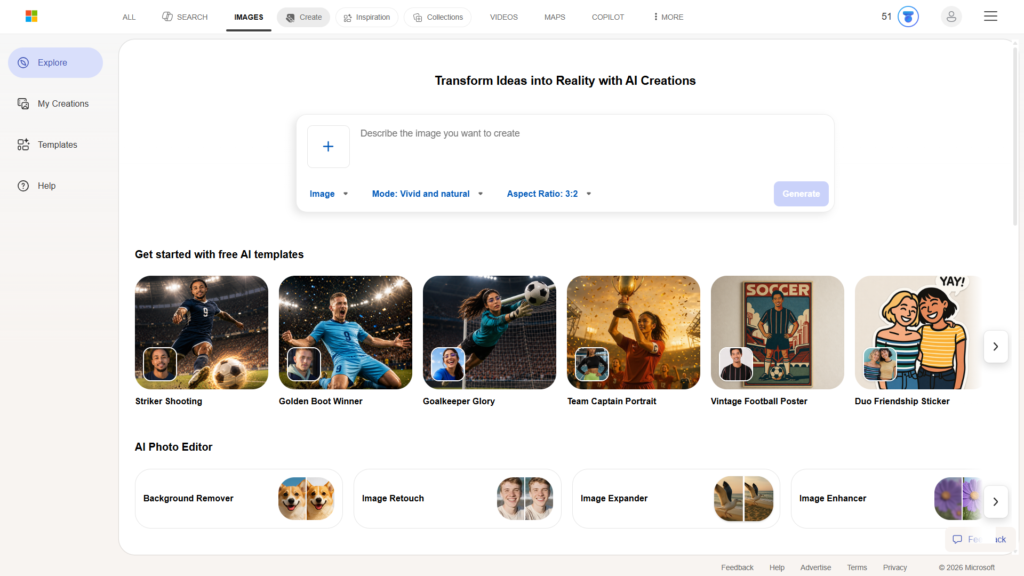
Bing Image Creator is my first recommendation for anyone who wants a straightforward way to create AI images without spending much time learning complicated controls.
Microsoft has integrated the tool into its wider Copilot experience, making it convenient for users who already have a Microsoft account or use Copilot regularly. The platform also includes an inspiration area where you can explore example creations and get ideas for prompts.
My experience did not start perfectly. Signing in was slow, and Microsoft asked me to verify my phone number. The verification message did not arrive during that attempt, which made the setup more frustrating than expected. This may not happen to everyone, but it is something to keep in mind if account verification is required.
Once I gained access to the generator, the experience improved considerably.
I entered the detailed home-office prompt and received two good results in under 20 seconds. The first image looked very good, and I did not notice any clear visual errors. It followed the intended warm, realistic style effectively and included the main elements requested in the prompt.
The second result was also usable, although it contained a slight visual issue. It was not enough to make the entire image bad, but it showed that consistency can still vary between images from the same prompt.
Overall, the quality was strong, especially considering that I was using a free AI image generator. However, based on my own testing, I would not call it the best image generator I have tried. Leonardo.Ai produced a stronger individual result in this specific comparison.

Read our complete Bing Image Creator review → https://theaitoolreview.com/bing-image-creator-review/
Key Features
- Free text-to-image generation through a Microsoft account
- Integration with the broader Microsoft Copilot experience
- Multiple image-generation models, with current options varying by availability
- Ability to create realistic images, illustrations, artwork, and conceptual visuals
- An Inspiration tab with example images and prompt ideas
- Simple prompt box that does not require advanced design experience
- Multiple results from a single prompt in my test
- Support for detailed natural-language descriptions
- Access through a web browser
- Connection to Microsoft’s wider collection of AI and design tools
Microsoft’s official Bing Image Creator page currently mentions access to leading generation models, including GPT-4o and Microsoft’s own image technology. Because model availability can change by account, region, or product update, the options shown inside your account may differ.
Microsoft Designer also provides related image-editing tools. Depending on where an image is opened, users may be able to crop, rotate, adjust, apply filters, erase selected elements, remove backgrounds, or blur backgrounds. These editing capabilities are useful when a generated image is close to what you need but requires a small correction.
Pricing
Bing Image Creator can be used for free. Microsoft may use boosts, credits, standard-speed generations, Microsoft Rewards points, or other usage controls depending on the current version of the service and the user’s account.
Because Microsoft has changed parts of its image-generation system over time, I would avoid relying on a specific daily generation number unless it is displayed directly in your account. The safest description is that the core Bing Image Creator service is free, but generation speed and usage conditions may vary.
You do not need a separate paid Bing Image Creator subscription simply to begin generating images. However, some related Copilot or Microsoft 365 features may belong to separate plans and should not be confused with the free standalone Image Creator experience.
Microsoft officially describes Bing Image Creator as free and capable of generating AI art, photos, and other visuals from text.
Pros and Cons
Pros
- Free to start using
- Beginner-friendly generation process
- Produced two good images in under 20 seconds during my test
- The first test image had no obvious errors that I could see
- Can provide multiple interpretations of the same prompt
- Useful Copilot integration
- Inspiration section can help users who do not know what to create
- Good overall quality for a free tool
- Detailed prompts can produce polished, realistic-looking results
- No need to understand advanced image-generation settings
Cons
- My sign-in process was slow
- Phone verification created an obstacle because the message did not arrive
- Quality was not completely consistent between the two results
- One generated image contained a slight visual problem
- Fewer visible creative controls than Leonardo.Ai
- Usage limits and speed systems may be confusing when Microsoft changes them
- It was not the strongest AI image generator I have personally tested
- Users looking for precise model and generation controls may find it restrictive
Bing Image Creator is the better starting point for someone who has never used an AI art generator. It removes many technical decisions and lets the user concentrate on writing a clear prompt.
Its ability to return multiple images is another advantage. Even when one result has a small flaw, another version may be immediately usable. That makes Bing practical for blog illustrations, presentation concepts, social media ideas, mood boards, and personal creative projects.
2. Leonardo.Ai, Best For Image Quality and Creative Control
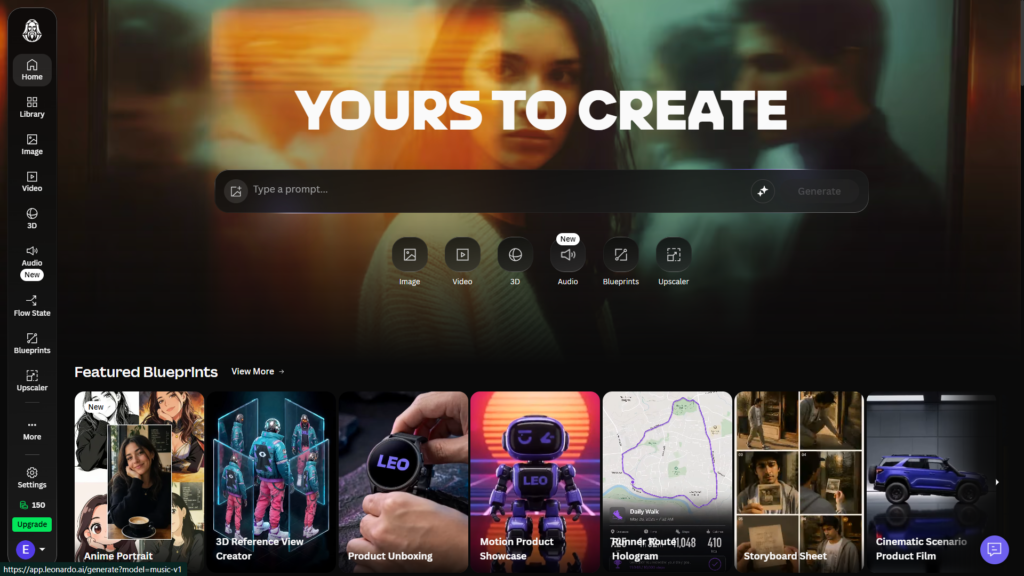
Leonardo.Ai is my top choice in this comparison for creators who care most about image quality and want more control over the generation process.
The platform is more feature-rich than Bing Image Creator. That can make it more attractive to experienced users, although the interface may require slightly more attention from complete beginners. Instead of offering only a basic prompt box, Leonardo.Ai provides access to different models, settings, styles, dimensions, and creative tools.
My sign-in experience was fast, and Leonardo.Ai did not ask for a credit card. However, I could not create images without signing into an account.
After registering, my account received 150 tokens, which matches the 150 daily tokens currently advertised on Leonardo.Ai’s official pricing page. The daily token allowance makes it possible to continue trying the platform without paying, although each generation consumes part of that balance.
I tested Leonardo.Ai with the same detailed home-office prompt and similar settings. It generated only one image in that test, but the result was better than the Bing images overall.
The composition, lighting, and general appearance were stronger. The image felt more polished and matched the realistic, cinematic direction of the prompt effectively. It was also generated fairly quickly.
The main weakness was the woman’s hands. They did not have the same quality as the rest of the image and looked unusual. Hands remain a difficult detail for many AI image models, so close inspection is still necessary before publishing an image.
Despite that problem, Leonardo.Ai won my direct image-quality comparison. The generation used only eight tokens, leaving most of the daily free allowance available for additional tests.

Read our complete Leonardo.Ai review → https://theaitoolreview.com/leonardo-ai-review/
Key Features
- 150 daily tokens on the free plan
- No credit card required to create a free account
- Multiple AI image models and generation options
- Text-to-image and image-based creative workflows
- Control over image dimensions and output settings
- Tools for realistic images, illustrations, concept art, and design assets
- Community creations that can provide inspiration
- Image editing and enhancement options
- Prompt-based creative controls
- Options designed for individual creators and professional teams
- Web-based interface
- Paid plans with larger monthly token allowances
- Support for more advanced creative experimentation than a basic prompt-only generator
Leonardo.Ai describes its platform as a creative suite for generating images, artwork, and other visual assets. Its official art generator page highlights text and image inputs, multiple visual styles, and controls intended to improve consistency.
The number of tokens used for an image can depend on the selected model, dimensions, quality, and additional features. My generation used eight tokens, but that should not be interpreted as a fixed cost for every image.
Pricing
Leonardo.Ai has a permanent free tier with 150 tokens per day. The free allowance resets daily rather than operating as a one-time trial, making it useful for casual users who can spread their generations across several days.
According to Leonardo.Ai’s official pricing page at the time of this update, individual paid plans begin at $12 per month. The entry-level paid plan includes a larger monthly token allowance and additional capabilities compared with the free account. Higher tiers are available for people who generate more frequently.
The basic structure is:
- Free: $0 with 150 daily tokens
- Essential: From $12 per month
- Higher paid tiers are available for heavier usage and additional features
Exact features, token allowances, and prices can change. Check the official pricing page before subscribing, especially if private generations, higher limits, or advanced production features are important to you.
Leonardo.Ai’s free tier is generous enough for testing and occasional creative projects. Still, tokens can disappear quickly when using expensive models, higher-quality settings, or tools that require more processing. The interface normally shows the token cost before generation, so reviewing that number can prevent accidental overspending of the daily allowance.
Pros and Cons
Pros
- Produced the best overall image in my direct comparison
- Fast registration process during my test
- No credit card was required
- Includes 150 free tokens that reset daily
- My test image consumed only eight tokens
- Strong image composition and cinematic lighting
- More advanced settings than Bing Image Creator
- Suitable for realistic images, artwork, concept designs, and creative assets
- Free users can experiment regularly rather than receiving only a short trial
- Provides more room for customization and creative control
- Paid plans begin at a relatively accessible price for frequent users
Cons
- An account is required before generating images
- The hands in my test image looked unusual
- Token costs vary, making usage less predictable
- Some models and settings consume more tokens than others
- The interface may feel more complicated than Bing for beginners
- My selected settings produced only one image in the test
- Free-plan users must monitor their remaining token balance
- Advanced or high-volume usage will likely require a paid subscription
Leonardo.Ai is the stronger option for users who enjoy adjusting settings and comparing different creative approaches. The token system introduces an extra limitation, but 150 daily tokens provide enough room for meaningful experimentation when generations are planned carefully.
For bloggers and marketers, the platform can be particularly useful when a hero image or featured image needs to look more polished. However, every output still requires human review. An image that looks excellent at first glance may contain problems with hands, text, small objects, reflections, or background geometry.
Frequently Asked Questions (FAQ)
What is the best free AI image generator in 2026?
Based on my direct comparison, Leonardo.Ai produced the best individual image, while Bing Image Creator offered the simpler overall experience and generated multiple good options.
Leonardo.Ai is my top pick for image quality and creative control. Bing is better for beginners who want to write a prompt, receive several results, and avoid dealing with a token-based control panel.
The best choice therefore depends on your priorities rather than one platform being superior in every category.
Can I use AI-generated images commercially?
Commercial-use rules depend on the platform, account type, applicable terms, source material, and how the final image is used. Do not assume that every free AI-generated image automatically comes with unrestricted commercial rights.
Before using an image in advertising, products, client projects, or monetized content, review the platform’s current terms and content policies. You should also avoid prompts that deliberately copy protected characters, logos, living artists’ distinctive styles, or copyrighted material.
For a blog, it is good practice to keep the original prompt, note which platform generated the image, and inspect the result for recognizable brands or protected elements.
Do Bing Image Creator and Leonardo.Ai require a credit card?
I did not need to provide a credit card when creating my free Leonardo.Ai account. Bing Image Creator is also available as a free Microsoft service, although a Microsoft account and verification may be required.
In my Bing test, the login process requested phone verification, and the verification message did not arrive. That was an account-access problem rather than a payment requirement.
Are free AI image generators completely unlimited?
Not necessarily. A tool may be free while still limiting generation speed, daily tokens, premium models, image quantity, editing tools, or advanced controls.
Leonardo.Ai currently provides 150 tokens per day, and each generation consumes tokens according to its settings. Bing Image Creator is available for free, but Microsoft may apply speed controls, boosts, account limits, or other usage rules.
Free-plan conditions can change, so always check what is displayed inside your account before beginning a large project.
Final Verdict
Among these two free AI image generators, Leonardo.Ai is my overall winner for creators who prioritize the strongest possible individual result. Its image had better overall composition and visual quality in my side-by-side test, and the generation used only eight of the 150 daily tokens. The imperfect hands kept it from being flawless, but the rest of the image was impressive.
Bing Image Creator remains the better recommendation for beginners. It generated two good images in under 20 seconds, required fewer creative decisions, and includes useful Copilot and inspiration features. The login and verification experience was frustrating in my test, and one result contained a small visual issue, but the service still provides substantial value for free.
Choose Bing Image Creator for simplicity, multiple quick options, and an accessible first experience. Choose Leonardo.Ai for deeper controls and stronger image quality. Regardless of the platform, carefully inspect every image before publishing it because small AI-generated errors can remain hidden in hands, faces, text, furniture, and background objects.