
Disclosure: This post may contain affiliate links. If you purchase through our links, we may earn a commission at no extra cost to you.
Last updated: July 2026
Tested by: Emanuel S.
The best free AI tools for students in 2026 can help with much more than generating quick answers. The right tool can make research easier, improve the clarity of an essay, summarize difficult material, organize ideas, or turn class notes into a polished presentation.
However, not every AI platform is equally useful for academic work. Some free plans are heavily restricted, while others provide enough features for everyday studying without requiring a credit card. Students also need to consider accuracy, source quality, ease of use, and whether a tool encourages learning rather than simply producing finished answers.
For this list, I personally tested QuillBot, Perplexity, and Gamma. My observations about their speed, interface, output quality, and limitations come from those tests. ChatGPT is included based on its current features, official information, and broad reputation as a general-purpose AI study assistant. I have not marked it as personally tested for this specific comparison.
AI should support your learning, not replace it. Always verify important facts, check citations, follow your school’s academic-integrity policy, and avoid submitting AI-generated work without reviewing and rewriting it yourself.
How We Chose These Tools
To select the best free AI tools for students, I focused on features that are genuinely useful for school, college, and university work.
The main criteria were:
- Free-plan usefulness: The free version needed to offer meaningful features rather than functioning only as a short trial.
- Ease of use: Students should be able to understand the interface without spending hours learning the platform.
- Academic applications: Each tool needed to help with tasks such as writing, researching, studying, summarizing, brainstorming, or presenting.
- Output quality: I considered whether the results were clear, relevant, organized, and practical.
- Limitations: Free usage limits, restricted models, image errors, branding, and paid-only features were all taken into account.
- Account requirements: Tools that allow students to begin without creating an account received extra consideration.
- Transparency: Personally tested experiences are separated from observations based on official product information and reputation.
- Responsible use: Preference was given to tools that can support understanding, editing, research, and organization instead of only producing finished assignments.
Pricing and plan features can change, so students should confirm the latest information on each company’s official website before upgrading.
Quick Comparison Table
| Tool | Best For | Starting Price | Free Plan? |
| QuillBot | Rewriting, grammar checking, and summarizing | $0 | Yes |
| Perplexity | Research and source-based answers | $0 | Yes |
| Gamma | Creating presentations quickly | $0 | Yes |
| ChatGPT | Explanations, brainstorming, and study support | $0 | Yes |
1. QuillBot, Best For Improving Student Writing
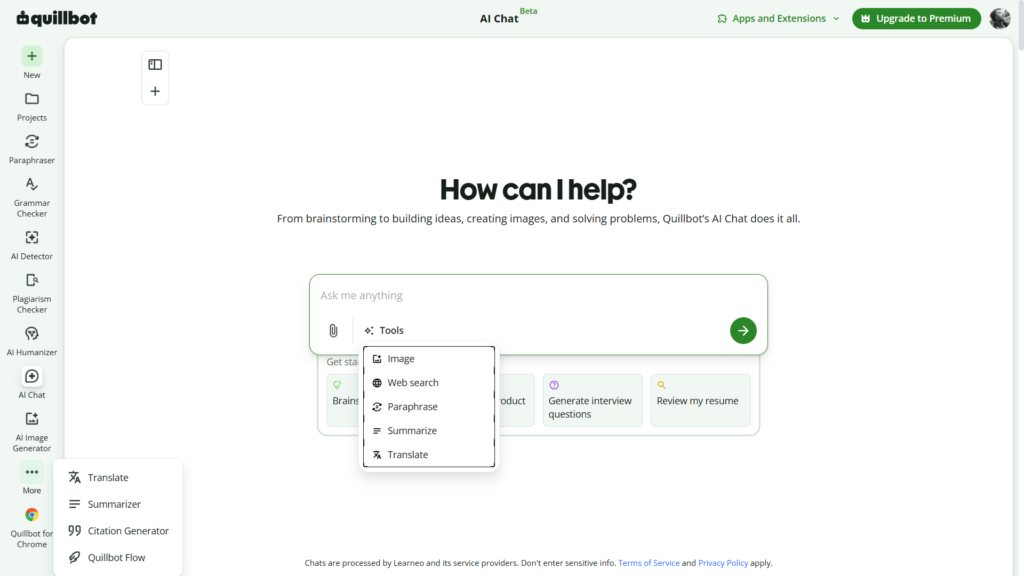
QuillBot is one of the most practical free AI tools for students who regularly write essays, reports, discussion posts, emails, or summaries. It combines several writing tools in one platform, including a paraphraser, grammar checker, summarizer, AI detector, citation generator, and AI chat features.
I personally tested QuillBot and found it very easy to start using. I did not have to create an account before trying its basic tools, which is useful for students who want to check a paragraph quickly without completing a long registration process.
The platform’s AI detection tool worked quickly during my testing and seemed useful as a general review tool for students. Still, AI detectors should never be treated as definitive proof that a person did or did not use AI. Results can be inaccurate, and a detector score should be viewed as a warning or reference point rather than a final judgment.
QuillBot also includes an AI Humanizer. It worked during my test, but I would not recommend relying on it to disguise AI-generated assignments. A better approach is to write your own ideas, use AI for feedback, and revise the text until it genuinely reflects your understanding and voice.
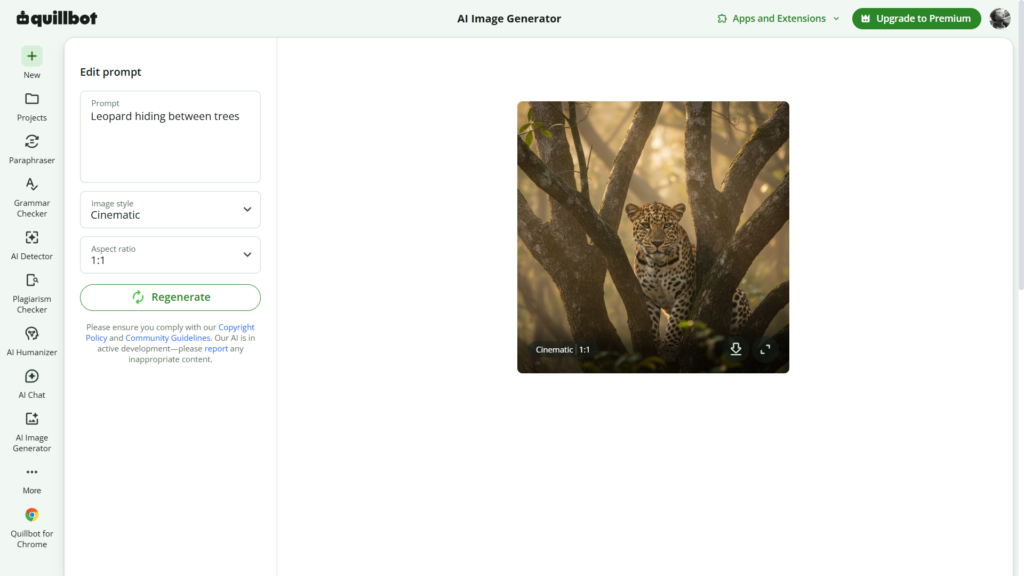
I also tested some of QuillBot’s newer generative features. I asked it to create an image using the prompt “Leopard hiding between trees.” It produced a highly realistic result in under 10 seconds. Image generation required an account, unlike some of the basic writing features.
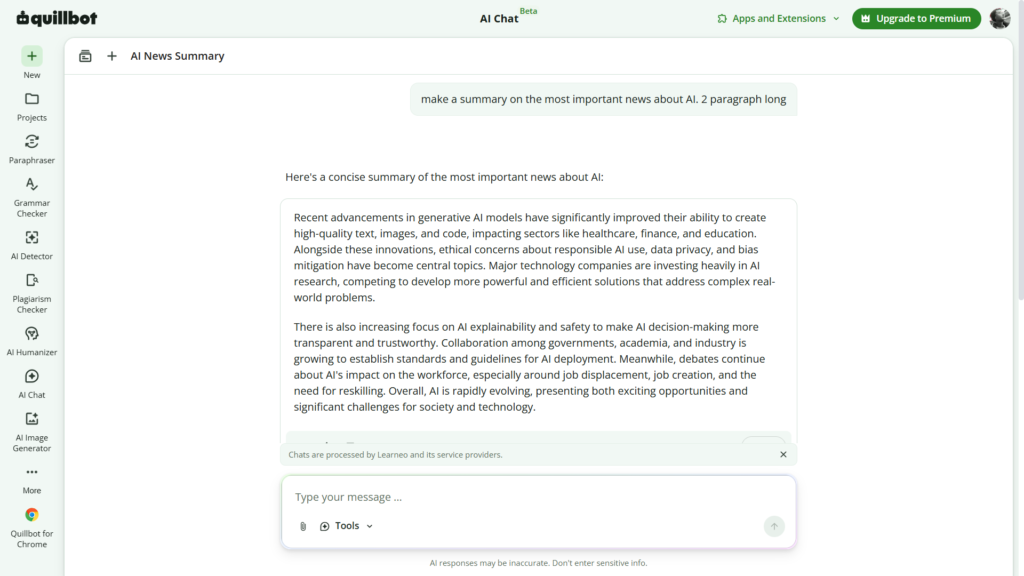
For another test, I asked it to “make a summary on the most important news about AI. 2 paragraphs long.” That response took considerably longer than usual, although the final result was good. This suggests that QuillBot can handle more than paraphrasing, but it may not always be the fastest option for research-related prompts.
Read our complete QuillBot review → https://theaitoolreview.com/quillbot-review/
QuillBot vs Grammarly: Which AI Writing Tool Is Better in 2026? → https://theaitoolreview.com/quillbot-vs-grammarly/
Key Features
- Paraphrasing tool for rewriting sentences and paragraphs
- Grammar, spelling, and punctuation checking
- Summarizer for shortening articles and notes
- Citation generator for common academic citation styles
- AI Detector with limited free access
- AI Humanizer with usage restrictions
- Translator and additional writing utilities
- AI chat and content-generation features
- AI image generation for registered users
- Browser, desktop, and mobile integrations
QuillBot’s official free plan currently includes limited paraphrasing, basic grammar correction, basic summaries, restricted AI Detector access, and limited Humanizer usage. The free paraphraser supports up to 125 words at a time and includes two modes, according to QuillBot’s current plan information.
Pricing
QuillBot has a permanent Free plan that costs $0. It is suitable for short paragraphs, occasional grammar checks, basic summaries, and limited experimentation with its broader AI toolkit.
At the time of writing, QuillBot Premium is listed at approximately:
- $9.95 per month with monthly billing
- $19.95 every three months, equivalent to about $6.65 per month
- $49.95 per year, equivalent to about $4.17 per month
QuillBot also advertises student-related offers, although availability and eligibility may vary. Students should verify the final price before subscribing.
The free plan should be enough for students who only need occasional writing support. Premium makes more sense for users who regularly work with long essays and need higher limits.
Pros and Cons
Pros
- Very easy to use
- Some tools work without registration
- Useful combination of paraphrasing and grammar features
- Fast AI detection during my testing
- Helpful for shortening notes and improving sentence clarity
- Includes citation-related tools
- Image generation produced a realistic result in my test
- Free plan covers several common student tasks
Cons
- Free paraphrasing limits are restrictive for long assignments
- Some features require an account
- Several advanced functions are limited or locked behind Premium
- The AI Humanizer should not be used as a substitute for original writing
- AI detection results are not always reliable
- My research-style summary prompt took longer than expected
- Rewriting tools can change the meaning of a sentence if students do not review the result carefully
2. Perplexity, Best For Student Research and Source-Based Answers
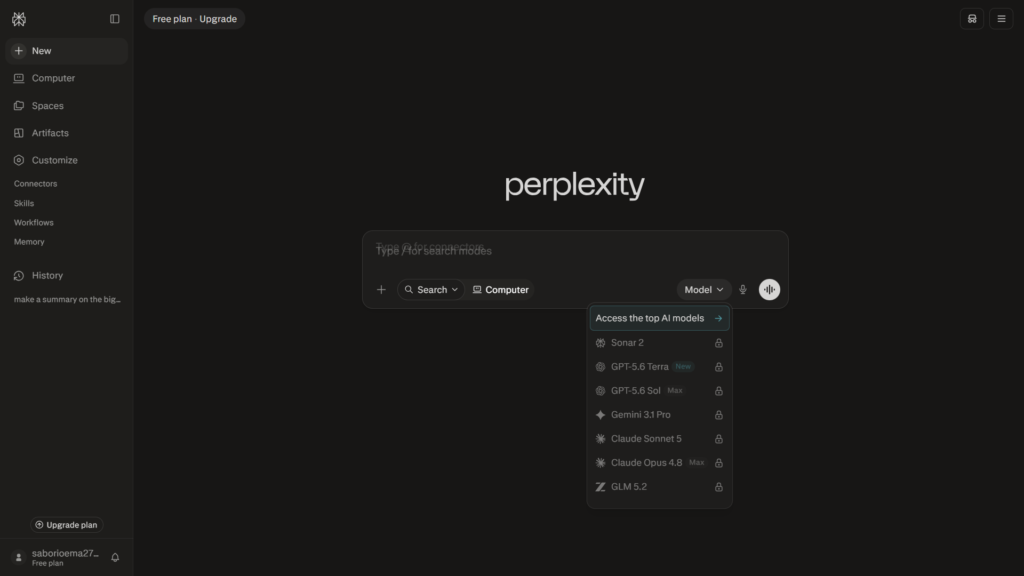
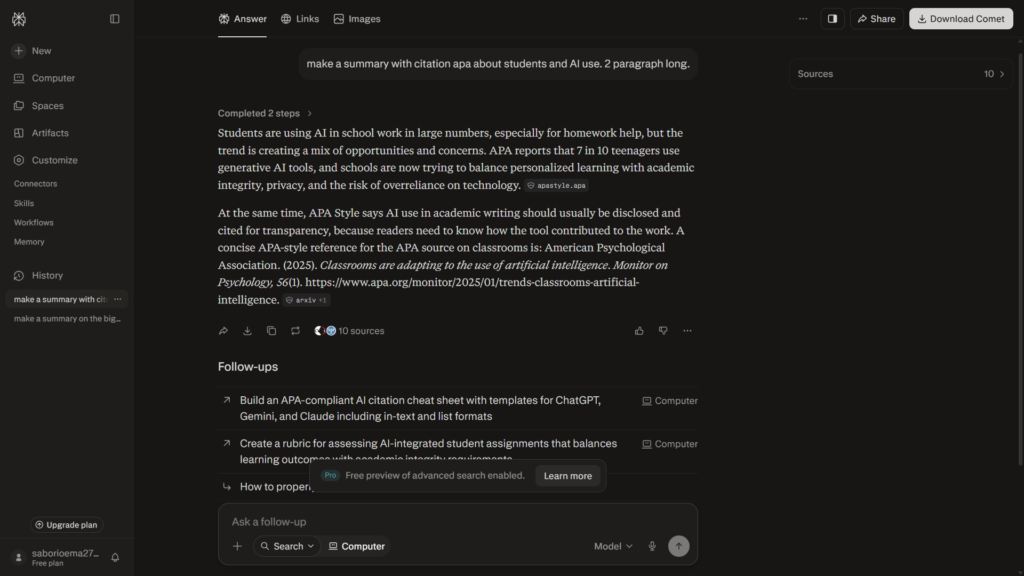
For research, Perplexity is one of the most useful free AI tools for students. It works more like an AI-powered answer engine than a traditional chatbot. Instead of presenting an answer without context, it usually includes links or citations that let students inspect the original sources.
I personally tested Perplexity and found that I could begin using it without creating an account. The design was clean, the main search box was easy to understand, and responses appeared quickly.
This makes it particularly helpful when you need an introduction to an unfamiliar subject, possible sources for a paper, an explanation of a current topic, or keywords to continue researching through a library database.
The free plan does not include every available AI model or advanced feature. During my test, I also encountered a few options that were not immediately clear. The interface is simple at first, but some of its deeper research modes and additional tools may require experimentation.
Perplexity also has a news section, which can help students discover current topics. However, news summaries and AI-generated explanations still need to be checked against the original publication. A citation beside a claim does not automatically mean the claim perfectly represents the source.
My overall impression was that Perplexity is fast, convenient, and especially strong for searches and questions. Some capabilities require a paid subscription, but its standard free search remains useful for everyday academic research.
Read our complete Perplexity review → https://theaitoolreview.com/perplexity-ai-review/
3 Best Free AI Tools for Productivity in 2026→ https://theaitoolreview.com/best-free-ai-tools-productivity/
Key Features
- AI-generated answers supported by linked sources
- Follow-up questions that maintain the research context
- Search history for registered users
- Basic file uploads with free-plan restrictions
- News discovery and current-topic exploration
- Limited Pro Searches for more detailed questions
- Research tools for multi-step investigations
- Different answer modes and content filters
- Access across web and mobile devices
- Education-focused paid subscription for verified students and educators
Perplexity describes its free Standard plan as offering practically unlimited basic searches, limited file uploads, a small number of Pro Searches, and automatic model selection. Advanced models, image generation, and premium support are not included in the basic free tier.
Pricing
The Perplexity Standard plan starts at $0 and does not require a credit card for normal free use.
The company also offers paid plans:
- Perplexity Pro: commonly listed at $20 per month, with a lower effective monthly cost when billed annually
- Perplexity Max: intended for advanced or high-volume users and priced much higher than the standard student-focused plans
Most students should begin with the free plan. A paid upgrade is more reasonable for someone conducting frequent, source-heavy research or regularly analyzing uploaded documents.
Pros and Cons
Pros
- No registration was required to start during my test
- Clean and attractive design
- Fast answers for general questions
- Sources are displayed alongside many claims
- Useful for finding research starting points
- Supports follow-up questions
- Good for exploring current events
- Free plan does not require a payment card
- Education-specific paid option is available for eligible users
Cons
- Free users do not receive full access to advanced models
- Some features and modes are not immediately easy to understand
- Advanced research features have usage limits
- Source links still require manual verification
- Answers can oversimplify complicated subjects
- Some useful capabilities require payment
- It should not replace academic databases, textbooks, or peer-reviewed research
- Students may mistake a cited AI response for a properly written academic citation
3. Gamma, Best For Creating Student Presentations
Gamma is the strongest option on this list for students who need to turn an idea, outline, or set of notes into a visual presentation. It can generate presentations, documents, simple web pages, and other visual content from a prompt.
I personally tested Gamma by asking it to “make a presentation about students and AI.” Account setup was slightly slower than normal, and Gamma asked me three questions about how I planned to use the platform.
The interface initially felt confusing. After spending some time with it, however, I understood the workflow and found the creation process much easier.
One of Gamma’s best features is the preview stage. Before generating the complete presentation, it shows a proposed outline with the text planned for each card. Students can edit the structure, change instructions, select a visual style, and review the content before spending credits on the finished project.
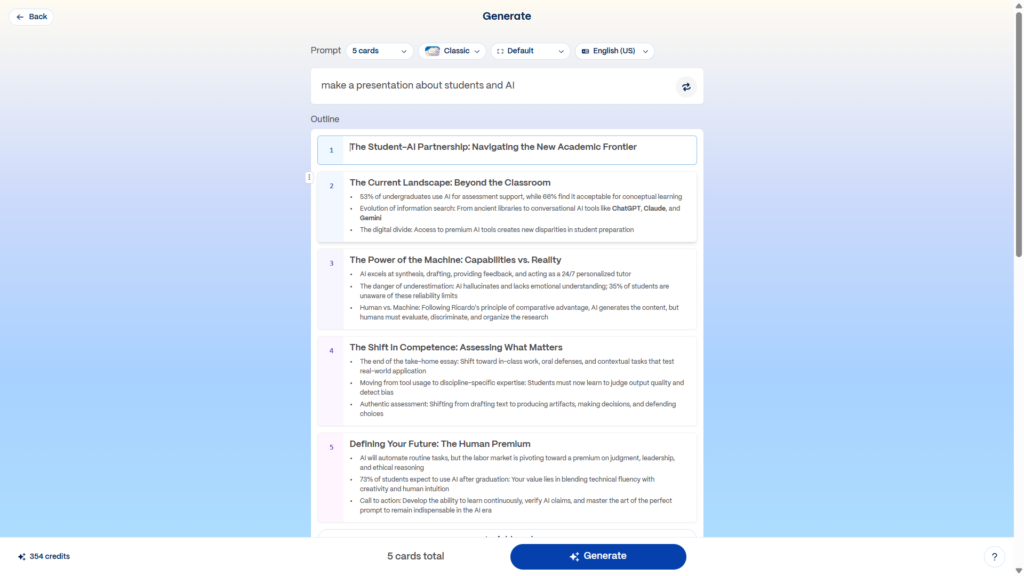
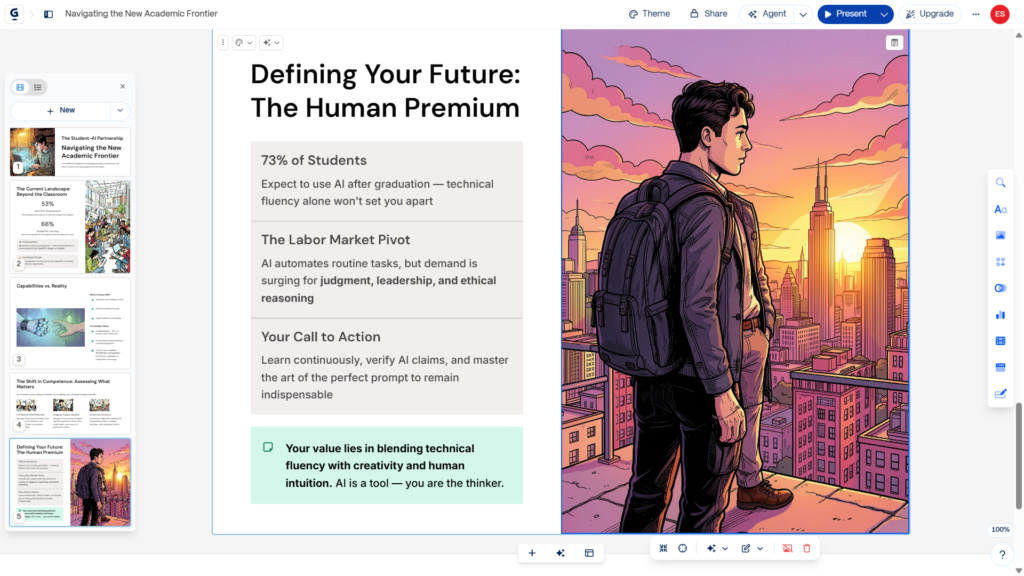
Using my prompt, Gamma created a good five-card presentation in under one minute. The structure was clear, the design looked professional, and the overall quality was strong for such a short prompt.
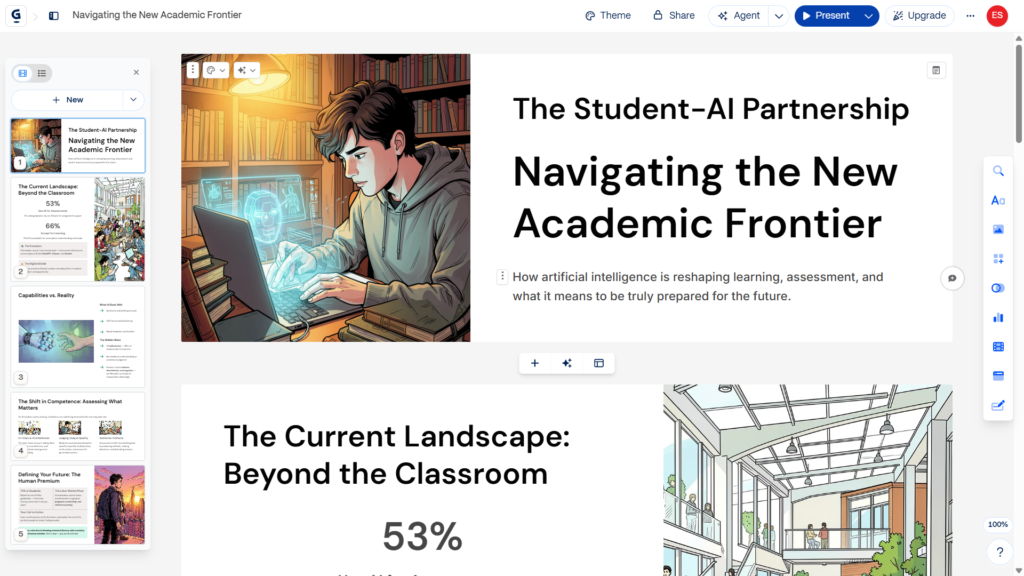
The main weakness was its generated imagery. Across several tests, I noticed visual-coherence problems, including unusual hands, extra arms, incorrect body details, and objects that did not make sense. These errors can make an otherwise polished academic presentation look less credible.
Students should inspect every generated image before presenting the work. Replacing weak AI images with diagrams, charts, properly licensed photographs, or simple icons will usually improve the final project.
Read our complete Gamma review → https://theaitoolreview.com/gamma-review/
Key Features
- AI-generated presentations from short prompts
- Preview and outline editing before full generation
- Presentation, document, website, social, and image creation
- Themes and layout customization
- Up to 10 cards per prompt on the free plan
- PDF and PowerPoint importing
- Export to PDF, PowerPoint, PNG, and Google Slides
- Web-based presentation sharing
- Collaboration and commenting options
- AI-generated text and images
Gamma’s official free plan supports simple presentations and several other content formats. It currently allows up to 10 cards per prompt and supports imports from PDF and PowerPoint, along with exports to PDF, PPTX, PNG, and Google Slides.
Pricing
Gamma offers a Free plan with starter AI credits. Its pricing page states that free accounts receive 400 starter credits that do not automatically refill, although users may be able to earn additional credits through referrals.
Paid options include:
- Plus: More AI access, higher card limits, and removal of Gamma branding
- Pro: Premium models, more customization, analytics, API access, custom fonts, and higher limits
- Ultra: The highest AI usage allowance and access to more advanced text, image, and video models
Gamma’s exact displayed price may depend on billing cycle, location, and promotions. Check the checkout page before purchasing.
The free version is suitable for testing Gamma or producing occasional class presentations. Students creating presentations every week may run out of starter credits and need either a paid plan or a second presentation tool.
Pros and Cons
Pros
- Generates attractive presentations quickly
- Created a five-card presentation in under one minute during my test
- Preview stage helps students correct the outline before generation
- Good range of customization options
- Professional-looking layouts
- Supports several export formats
- Can import existing PDF and PowerPoint content
- Useful for students who struggle with slide design
- Free plan is enough to test the main workflow
Cons
- Registration was slightly slow during my test
- The interface was initially confusing
- Free starter credits do not automatically refill
- AI-generated images can contain major visual errors
- Generated text may be too general without a detailed prompt
- Students still need to check facts and citations
- Gamma branding remains on some free outputs
- Heavy users may reach the free limit quickly
4. ChatGPT, Best For Explanations and General Study Support
ChatGPT is included because it is widely used as a general-purpose AI assistant for explaining concepts, brainstorming ideas, creating practice questions, analyzing files, and helping students plan their work.
Unlike the first three entries, I am not presenting this section as a personal test for this specific article. Its inclusion is based on current official plan information and its broad reputation as an adaptable educational assistant.
For students, ChatGPT is most helpful when used interactively. Instead of requesting a finished essay, you can ask it to explain a difficult concept at a beginner level, compare two theories, create a revision quiz, identify weaknesses in your outline, or provide feedback on a paragraph you wrote.
Its usefulness depends heavily on the prompt. A request such as “do my biology homework” may produce a shallow response. A more specific instruction, such as asking it to explain photosynthesis step by step and then test your understanding, creates a more educational experience.
ChatGPT can also help break large assignments into smaller tasks. Students may use it to develop a study schedule, brainstorm research questions, organize notes, or create examples of a concept. The free plan currently includes access to several capabilities, but advanced tools and usage levels remain limited compared with paid plans.
Compare ChatGPT with other leading assistants →https://theaitoolreview.com/chatgpt-vs-claude-vs-gemini/
Key Features
- Conversational explanations and follow-up questions
- Brainstorming for essays and projects
- Study guides, flashcards, and practice quizzes
- Feedback on student-written text
- Limited file and image analysis on the free plan
- Web search and source discovery
- Basic data analysis
- Limited image generation
- Voice interaction
- Study Mode for guided learning
- Coding explanations and debugging support
OpenAI’s current pricing information confirms that a free version is available to everyone. The free tier includes a broad selection of features, although access to file uploads, vision, image generation, data analysis, advanced research, and higher-capability models may be limited.
Pricing
ChatGPT starts with a Free plan at $0.
Current individual paid options include:
- ChatGPT Go: Starting around $6 per month, with localized pricing in some markets
- ChatGPT Plus: $20 per month
- ChatGPT Pro: $100 per month
OpenAI also offers education-related products for institutions, but those are separate from the normal individual free account. Pricing and availability can vary by country.
For most students, the free account is the sensible starting point. Plus may be useful for higher limits and more consistent access, but it is not necessary for basic explanations, brainstorming, and studying.
Pros and Cons
Pros
- Useful for many different subjects
- Can adjust explanations to different skill levels
- Supports follow-up questions
- Good for generating quizzes and practice exercises
- Helps organize assignments and study plans
- Can review student-written drafts
- Free plan includes a broad range of capabilities
- Study Mode encourages a more guided learning process
Cons
- Can provide incorrect or invented information
- Sources are not included consistently in every response
- Free-plan limits may change depending on demand
- Students may become dependent on generated answers
- Responses can sound confident even when they are wrong
- It may misunderstand specialized course requirements
- AI-generated citations can be inaccurate or nonexistent
- Submitting its output directly may violate school policies
Frequently Asked Questions (FAQ)
What is the best free AI tool for students in 2026?
The best option depends on the task. QuillBot is the strongest choice for improving writing, Perplexity is best for source-based research, Gamma is best for quickly producing presentations, and ChatGPT is the most flexible option for explanations, brainstorming, and study practice.
Students do not need to choose only one. A responsible workflow might involve using Perplexity to locate initial sources, QuillBot to check grammar in an original draft, and Gamma to turn approved notes into a presentation.
Can students use AI tools for homework?
Students can often use AI for brainstorming, explanations, feedback, research planning, and practice. Whether it is allowed for a specific assignment depends on the teacher, institution, and course policy.
Using AI to understand a topic is different from submitting an AI-generated answer as your own work. When the rules are unclear, ask the teacher before using generated content in an assignment.
Are free AI tools accurate?
No AI tool is completely accurate. Even platforms that provide citations can misinterpret a source, leave out context, or combine correct and incorrect information in the same answer.
Check important claims using textbooks, official organizations, academic databases, and original sources. Never invent or copy a citation without opening and reviewing the referenced material.
Can AI detectors reliably identify AI-generated student work?
AI detectors may identify patterns associated with generated writing, but they can produce false positives and false negatives. Human-written text may be flagged, while AI-generated text may sometimes avoid detection.
Students should not use detectors as a way to determine whether copied AI work is safe to submit. The safer approach is to write the assignment yourself, document your sources, keep drafts, and use AI only in ways permitted by your school.
Which Free AI Tool Should Students Choose?
For most writing assignments, QuillBot is the most immediately practical option. Its grammar checker, paraphraser, summarizer, and citation utilities cover several everyday student needs. The free limits can be restrictive, but many basic functions are available without payment.
Choose Perplexity when your priority is finding information and reviewing sources. Choose Gamma when you need to turn notes into a polished presentation quickly, but replace any images with obvious AI errors. Choose ChatGPT when you want explanations, practice questions, brainstorming, or flexible support across different subjects.
The strongest results come from combining these tools carefully rather than trusting one platform with an entire assignment. Use AI to ask better questions, understand difficult material, improve work you have already written, and save time on organization. Your final submission should still reflect your own reasoning, research, and voice.